Canvas

Canvas(
    engine='EEVEE',
    resolution=(1280, 720),
    transparent=False,
    template=_UNSET,
)

High-level render controller for Blender scenes.

Canvas configures the active Blender scene for Molecular Nodes renders (engine, resolution, transparency, color management), exposes convenient properties for common render settings, and provides helpers to point the camera at objects/views and render stills or animations.

Parameters

Name Type Description Default
engine EEVEE | Cycles | str Render engine to use. Accepts an instance of mn.scene.EEVEE or mn.scene.Cycles, or a case-insensitive string: "EEVEE" or "CYCLES". "EEVEE"
resolution tuple[int, int] Output resolution in pixels as (width, height). (1280, 720)
transparent bool When True, renders use a transparent film (alpha background). False
template pathlib.Path | str | None Scene template to load. If a string is provided it can be either the name of an installed Blender app template (e.g. "Molecular Nodes"), or a path to a .blend file. A template given here is always loaded, replacing whatever is in the scene. Left out, the “Molecular Nodes” preset is loaded only when the scene holds no molecules, so that re-running mn.Canvas() - as a notebook cell does - binds to the scene instead of wiping the work in it. None binds without loading anything. Use load_preset to reload a preset deliberately. _UNSET

Attributes

Name Type Description
scene bpy.types.Scene The active Blender scene.
camera molecularnodes.scene.camera.Camera Convenience camera controller bound to the active scene camera.
engine EEVEE | Cycles The configured render engine object.
resolution tuple[int, int] Current render resolution in pixels.
transparent bool Whether the film background is transparent.
fps float Frames per second for animation output.
frame_start int Start frame of the scene range.
frame_end int End frame of the scene range.
background tuple[float, float, float, float] World background color as RGBA in the range [0, 1].
view_transform {Standard, 'Khronos PBR Neutral', AgX, Filmic, 'Filmic Log', 'False Color', Raw} Active view transform for color management.
compositor molecularnodes.scene.compositor.CompositorTree Builder for the scene compositor node tree (post-processing effects).
world molecularnodes.scene.world.WorldTree Builder for the world shader node tree (lighting and background).
samples int Render sample count on the active engine.
frame int Current scene frame.
frame_range tuple[int, int] Scene (frame_start, frame_end).
render_scale int Render resolution percentage (100 = full).
exposure float Color-management exposure.
gamma float Color-management gamma.
look str Color-management look (contrast preset).
passes list[str] Enabled render passes (see :data:RENDER_PASSES).

Examples

Create a canvas and render a snapshot with a transparent background::

import molecularnodes as mn
cv = mn.Canvas(engine="CYCLES", resolution=(800, 800), transparent=True)
cv.snapshot("frame.png")

See Also

molecularnodes.scene.engines.EEVEE : Render engine configuration for EEVEE. molecularnodes.scene.engines.Cycles : Render engine configuration for Cycles. molecularnodes.scene.camera.Camera : Camera controller used by Canvas.

Methods

Name Description
animation Render an animation of the current scene.
clear Empty the scene, keeping the setup that renders it.
load Load a .blend file replacing the current scene.
load_preset Load a preset scene, replacing everything in the current one.
look_at Position the camera to look at and contain a target.
record Start a frame-by-frame recording of the scene.
snapshot Render an image of the current scene.

animation

Canvas.animation(
    path=None,
    frame_start=None,
    frame_end=None,
    render_scale=100,
    fps=None,
    format=None,
)

Render an animation of the current scene.

Parameters

Name Type Description Default
path str | Path | None File path to write the rendered animation to. The animation is returned for display regardless of whether a path is given. None
frame_start int Start frame of the animation. When not specified, current scene’s start frame is used None
frame_end int End frame of the animation. When not specified, current scene’s end frame is used None
render_scale int Scale of the rendered animation frames with respect to the resolution. 100
fps float Frame rate of the animation. When not specified, the scene’s fps is used. None
format str Output format, either "MP4" or "GIF" (case-insensitive). When not specified, inferred from the suffix of path, defaulting to MP4. GIF output requires the pillow package. None

Returns

Name Type Description
IPython.display.Video | IPython.display.Image | None The rendered animation (a Video for MP4, an Image for GIF), which displays automatically as the result of a notebook cell. None if IPython is not installed.

clear

Canvas.clear()

Empty the scene, keeping the setup that renders it.

Removes the molecules and any other content objects, and purges the data they leave behind. The camera and lights are kept, as are the render settings, world shader and compositor - all of which are how the scene is lit and rendered rather than what is in it. The canvas is left configured and ready to render whatever is added next.

Notes

Data-blocks orphaned by the removed objects are purged recursively. A single molecule leaves over a hundred behind - its mesh, material and the node groups backing its styles - which would otherwise accumulate in the file on every load-and-clear cycle. This also collects unused data-blocks that were already in the file.

Objects that are not cameras or lights are removed, so set dressing such as the preset’s backdrop does not survive. Use load_preset to bring a whole preset scene back.

Only this canvas’s scene is emptied - objects living in other scenes of the same file are left alone.

Examples

Clearing between renders keeps the lighting and the render settings:

import molecularnodes as mn

canvas = mn.Canvas(engine="CYCLES", resolution=(400, 300))
canvas.samples = 8

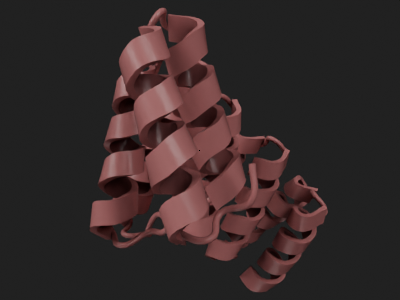
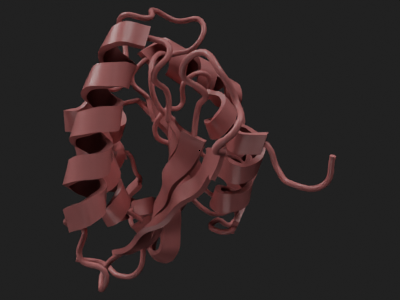
for code in ["4ozs", "8H1B"]:
    mol = mn.Molecule.fetch(code).add_style("cartoon")
    canvas.look_at(mol)
    display(canvas.snapshot())
    canvas.clear()

print(canvas.resolution, canvas.samples, type(canvas.engine).__name__)
00:00.445  cycles           | WARNING HIPEW initialization failed: Error opening HIP dynamic library

Info: Deleted 2 data-block(s)

Info: Deleted 2 data-block(s)
(400, 300) 8 Cycles

load

Canvas.load(path)

Load a .blend file replacing the current scene.

Parameters

Name Type Description Default
path str | Path The file path to the .blend file to load. required

load_preset

Canvas.load_preset(template='Molecular Nodes', engine=None)

Load a preset scene, replacing everything in the current one.

A preset is a whole scene - its lighting setup, camera, world shader and render settings - so loading one replaces all of them. The shipped “Molecular Nodes” preset is a small studio: a backdrop, a camera, a key light and a rim light.

To empty the scene while keeping how it is rendered, use clear instead.

Parameters

Name Type Description Default
template pathlib.Path | str | None Name of an installed Blender app template, a path to a .blend file, or None to use Blender’s default startup file. "Molecular Nodes"
engine EEVEE | Cycles | str Render engine to configure after loading. When not given, the engine defined by the preset is used. None

Raises

Name Type Description
ValueError If template is not None, not a valid .blend file path, and not a known app template name.

Examples

import bpy
import molecularnodes as mn

canvas = mn.Canvas()
canvas.load_preset()
print(sorted(obj.name for obj in bpy.data.objects))
['Camera', 'Sun', 'Sun.001', 'Sun.002', 'focal_point']

look_at

Canvas.look_at(target, viewpoint=None, margin=0.05)

Position the camera to look at and contain a target.

The camera is moved as close to the target as keeping all of it in frame allows, without changing where it points, leaving a small margin so that the subject does not sit right against the edge of the frame.

Parameters

Name Type Description Default
target MolecularEntity | bpy.types.Object | array_like What to look at: a Molecular Nodes entity, a Blender object, or any (N, 3) set of positions - a bounding box from get_view(), or the positions themselves. Views can be combined with + before passing. An entity or object is framed on the geometry it renders, so styling one chain of four frames that chain rather than the whole molecule. required
viewpoint Viewpoint | str | Sequence[float] Viewing direction along a principal axis — one of {“default”, “front”, “back”, “top”, “bottom”, “left”, “right”} — or a custom XYZ Euler rotation as three angles in degrees. None
margin float Fraction of the frame to leave empty around the target. 0 fits the target exactly to the frame, 0.1 leaves a ten percent border, and a negative value crops in past its edges. 0.05

Examples

import molecularnodes as mn

canvas = mn.Canvas(engine="CYCLES", resolution=(400, 300))
canvas.samples = 8
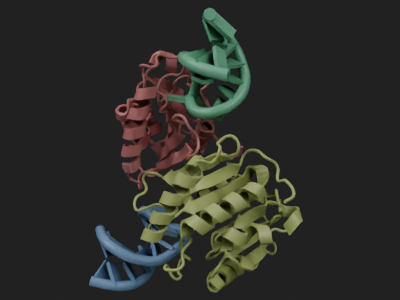
mol = mn.Molecule.fetch("8H1B").add_style("cartoon", selection="chainID A")

# frames the styled chain, not the whole molecule
canvas.look_at(mol, viewpoint="front")
display(canvas.snapshot())

# room to breathe, and framing on a selection rather than the whole entity
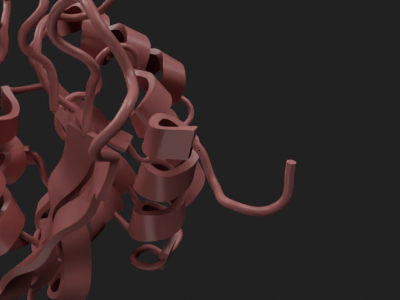
canvas.look_at(mol.get_view("chainID A and resid 1-40"), margin=0.15)
display(canvas.snapshot())

See Also

molecularnodes.scene.camera.Camera.frame_points : The underlying solve.

record

Canvas.record(
    path=None,
    fps=None,
    render_scale=100,
    frames_dir=None,
    overwrite=True,
)

Start a frame-by-frame recording of the scene.

Where animation plays back the Blender timeline, a recording puts the loop in your hands: change anything about the scene between frames and call render() on the recorder to capture the scene as it stands as the next frame, then finalize() to assemble the frames into an MP4 or GIF.

Parameters

Name Type Description Default
path str | Path | None Default file path for finalize() to write the animation to. When the recorder is used as a context manager, leaving the with block without an exception finalizes to this path automatically. None
fps float Default frame rate for finalize(). When not specified, the scene’s fps is used. None
render_scale int Scale the frames are rendered at with respect to the resolution. 100
frames_dir str | Path | None Directory to render the PNG frames into, created if it doesn’t exist. Frames written there are kept after the recorder is gone. When not given, frames go to a temporary directory that is removed with the recorder. None
overwrite bool When False, a frame whose numbered file already exists in frames_dir is reused instead of re-rendered, so re-running the same loop resumes an interrupted recording, only rendering the frames that are missing. Requires frames_dir. True

Returns

Name Type Description
molecularnodes.scene.recorder.FrameRecorder The recorder holding the captured frames.

Examples

import molecularnodes as mn

canvas = mn.Canvas(engine="CYCLES", resolution=(400, 300))
canvas.samples = 8
mol = mn.Molecule.fetch("4ozs").add_style("cartoon")

movie = canvas.record(fps=12)
for angle in range(0, 360, 45):
    canvas.look_at(mol, viewpoint=(90, 0, angle))
    movie.render()
movie.finalize()

See Also

molecularnodes.scene.recorder.FrameRecorder : The recorder itself. molecularnodes.Canvas.animation : Render an animation from the timeline.

snapshot

Canvas.snapshot(path=None, frame=None, file_format='PNG', render_scale=100)

Render an image of the current scene.

Parameters

Name Type Description Default
path str | Path | None File path to write the rendered image to. The image is returned for display regardless of whether a path is given. None
frame int Frame number of scene to render. When not specified, current scene’s current_frame is used None
file_format str File format of the rendered image, one of Blender’s still-image formats, e.g. "PNG", "JPEG", "TIFF", "OPEN_EXR". 'PNG'
render_scale int Scale of the rendered image with respect to the resolution. 100

Returns

Name Type Description
IPython.display.Image | None The rendered image, which displays automatically as the result of a notebook cell. None if IPython is not installed or the format cannot be displayed in a notebook (e.g. "OPEN_EXR").