Molecule

Molecule(
    universe,
    name='NewUniverseObject',
    world_scale=0.1,
    create_object=True,
)

Universe-backed molecular entity for Blender visualization.

Complete interface for loading, visualizing, and manipulating molecular structures and molecular dynamics trajectories in Blender using an MDAnalysis Universe.

Features: structure/trajectory loading, attribute computation, selection management, visual styling, frame interpolation/averaging, periodic boundary handling, Blender animation integration.

Attributes

Name Type Description
universe mda.Universe MDAnalysis Universe with topology and (optionally) trajectory frames
frame_manager FrameManager Position caching and frame updates
selections SelectionManager Dynamic atom selections
calculations dict Custom per-frame calculations
annotations MoleculeAnnotationManager Molecule annotations
world_scale float Scale factor from Angstroms to Blender units
frame int Current animation frame (synced with Blender)
subframes int Interpolation steps between frames
offset int Frame offset for playback
average int Number of frames to average (smoothing)
correct_periodic bool Apply periodic boundary corrections
interpolate bool Enable position interpolation
dssp DSSPManager A DSSP Manager to compute and show secondary structures

Examples

import MDAnalysis as mda
from MDAnalysis.tests.datafiles import PSF, DCD
import molecularnodes as mn
canvas = mn.Canvas()
u = mda.Universe(PSF, DCD)
traj = mn.Molecule(u)
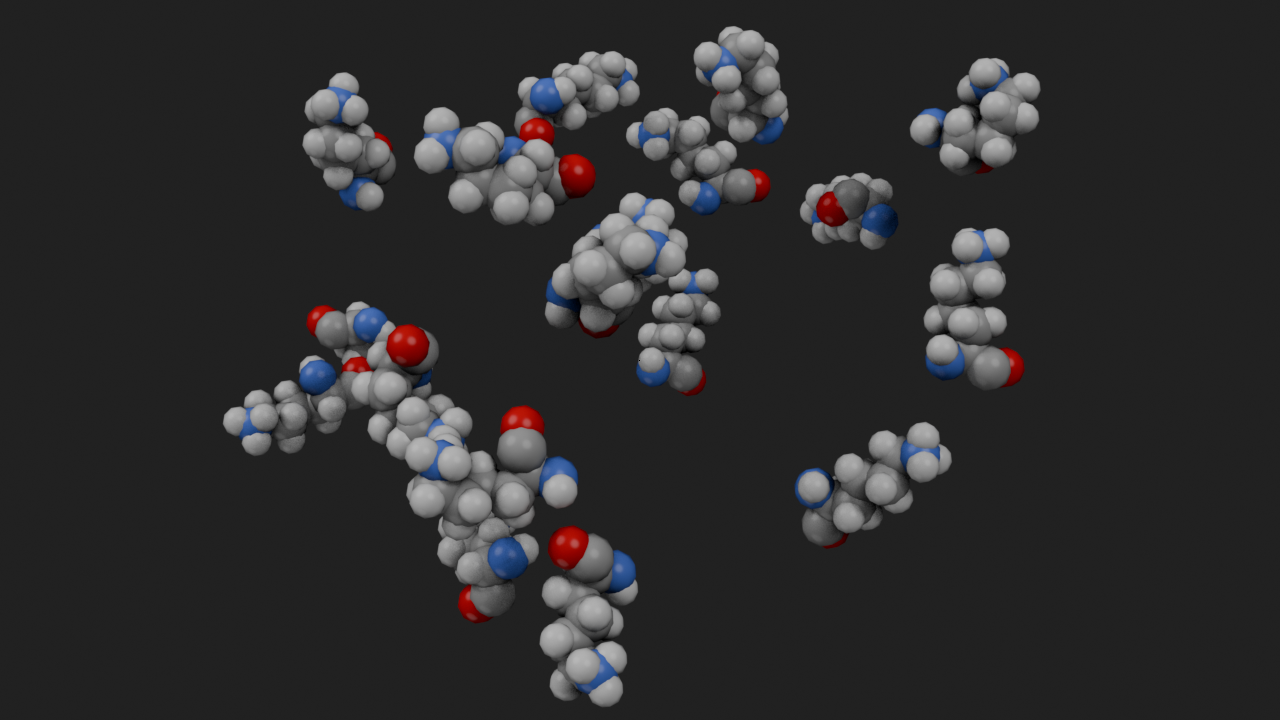
traj.add_style("spheres", sphere="Instance", selection="resname LYS")
canvas.look_at(traj)
canvas.snapshot()

Methods

Name Description
add_style Add a visual style to the trajectory.
assemblies Get the biological assemblies parsed from the source file.
create_asset_nodes Create asset nodes for the entity object.
create_data_object Create the data object holding the biological assembly transforms.
create_object Create and initialize Blender object for trajectory.
fetch Fetch a structure from an online database into a Universe-backed entity.
frames_to_collection Bake a range of trajectory frames into a collection of frame objects.
from_file Load a single structure file into a Universe-backed entity.
get_view The world-space positions of a view onto this molecule.
load Load a single structure file, or an MD topology + trajectory.
reset_playback Set the playback settings to their default values
set_frame Update trajectory state for scene frame.

add_style

Molecule.add_style(
    style='spheres',
    selection=None,
    material=_UNSET,
    color=None,
    assembly=False,
    name=None,
    **kwargs,
)

Add a visual style to the trajectory.

Provides a simple interface for adding visual styles to the molecule. For more complex styling, use the manual node tree creation via the with mol.tree: context manager.

Parameters

Name Type Description Default
style str | Callable The style to apply. Either a string naming a predefined style (“spheres”, “cartoon”, “ribbon”, “surface”, “sticks”, “ball_and_stick”), or a zero-argument callable returning a style node, evaluated inside the node tree context:: mol.add_style(lambda: mg.StyleCartoon(quality=5, loop_radius=0.6)) A callable defines the style node itself, so selection, material and extra keyword arguments cannot be combined with it - set them inside the callable. Default is “spheres”. 'spheres'
selection str | AtomGroup | Callable | None Apply the style only to atoms matching this selection. Can be: - A string naming an existing boolean attribute on the molecule (used directly) - A string MDAnalysis selection phrase (evaluated and stored as a new managed selection attribute) - A AtomGroup object defining a selection criteria - A zero-argument callable returning a boolean socket, evaluated inside the node tree context, e.g. lambda: mg.IsPeptide() & mg.IsSideChain() - None to apply to all atoms (default) A string is treated as an existing attribute name first; only if no such attribute exists is it interpreted as an MDAnalysis selection phrase. None
material bpy.types.Material | PresetMaterial | MaterialBuilder | str | None The material to apply to the styled atoms. Can be one of the preset materials from mn.material (e.g. mn.material.AmbientOcclusion()), a Blender Material object, a nodebpy MaterialBuilder, a string with a material name to append from the asset file, or None for no material. Default is “MN Default”. _UNSET
color str | Sequence[float] | Callable | None Coloring to apply upstream of the style via a Set Color node. Can be: - "common" / "default" for standard element colors with carbons colored randomly per chain - "plddt" to color by pLDDT (B-factor) confidence - the name of an existing color attribute on the geometry - an RGBA sequence of floats for a single uniform color - a zero-argument callable returning a color socket, evaluated inside the node tree context, e.g. lambda: mg.ColorRainbow(). This is the way to reach the full set of Color* nodes without writing out a whole node tree. - None (default) to add no color node, leaving the baked Color attribute in use. A string that is neither a keyword nor an existing color attribute raises a UserWarning and no color is applied. None
assembly bool Instance the style over the biological assembly transforms parsed from the source file, via an Assembly Instance node. Default is False. False
name str | None Optional label for the added style node, shown in the node editor and style lists. Default is None. None
**kwargs optional Additional keyword arguments passed to the style node, matching that node’s inputs (e.g. quality, scale, sphere for spheres). Unknown names raise a TypeError. Cannot be combined with a callable style. {}

Returns

Name Type Description
Molecule Returns self for method chaining.

Raises

Name Type Description
ValueError If an unsupported style string is passed
TypeError If a callable style is combined with selection, material or extra keyword arguments, or if a keyword argument does not match an input on the style node

Notes

If a selection is provided, it will be evaluated and stored as a new named attribute on the trajectory with an automatically generated name (sel_N).

assemblies

Molecule.assemblies(as_array=False)

Get the biological assemblies parsed from the source file.

Parameters

Name Type Description Default
as_array bool Return the assemblies as a structured array of per-chain 4x4 transforms rather than a dict. False

Returns

Name Type Description
dict | np.ndarray | None The biological assemblies as transformation matrices, or None when the structure has no assembly data.

create_asset_nodes

Molecule.create_asset_nodes()

Create asset nodes for the entity object.

This creates Select and Color nodes for each property combination. Chains, entities, and segments have nodes created for them if they have IDs. Nodes are created and registered as assets for the current Blender session so they can be added through drag-to-search in the node editor.

create_data_object

Molecule.create_data_object()

Create the data object holding the biological assembly transforms.

create_object

Molecule.create_object(name='NewUniverseObject')

Create and initialize Blender object for trajectory.

Creates mesh, computes attributes, sets up modifiers, registers with MolecularNodes.

Parameters

Name Type Description Default
name str Name for the Blender object "NewUniverseObject"

Returns

Name Type Description
bpy.types.Object Created Blender object

fetch

Molecule.fetch(code, format='.bcif', cache=download.CACHE_DIR, database='rcsb')

Fetch a structure from an online database into a Universe-backed entity.

Parameters

Name Type Description Default
code str The database accession code (e.g. a PDB id). required
format str File format to download, by default ".bcif". '.bcif'
cache Path | str | None Directory to cache downloads in. download.CACHE_DIR
database str The database to fetch from, by default "rcsb". 'rcsb'

Returns

Name Type Description
Molecule The Universe-backed entity representing the fetched structure.

frames_to_collection

Molecule.frames_to_collection(start=0, stop=None, step=1, name=None)

Bake a range of trajectory frames into a collection of frame objects.

Each object in the returned collection holds the atom positions (in Blender world units) for a single frame, in the same vertex order as this molecule’s mesh. The collection can then be read inside geometry nodes (e.g. with the Animate Frames node) to drive positions from baked data, rather than updating the Universe every scene frame.

Re-baking replaces any objects previously baked into the same collection.

Parameters

Name Type Description Default
start int First trajectory frame to bake (inclusive). 0
stop int | None One past the last frame to bake. Defaults to the number of frames in the trajectory (i.e. bake through the final frame). None
step int Stride between baked frames. 1
name str | None Name for the frames collection. Defaults to this molecule’s name. None

Returns

Name Type Description
bpy.types.Collection The collection of baked frame objects.

Raises

Name Type Description
ValueError If step is not a positive integer.

from_file

Molecule.from_file(file_path, name=None)

Load a single structure file into a Universe-backed entity.

The file (.pdb/.cif/.bcif/.sdf/.mol) is parsed by the biotite readers and converted into an MDAnalysis Universe via :func:~molecularnodes.converters.universe_from_atoms. Multi-model files become multi-frame universes. Biological assembly and entity/chain metadata parsed from the file are stored on the Blender object.

Small-molecule crystallographic .cif files (e.g. from the ICSD or COD) are instead read by :mod:~molecularnodes.entities.molecule.corecif, which expands the asymmetric unit by the file’s symmetry operators to fill one unit cell. .xyz files are read natively by MDAnalysis, with elements taken from the atom names.

Parameters

Name Type Description Default
file_path str | Path | io.BytesIO Path to the structure file (or an in-memory bcif buffer). required
name str | None Name for the Blender object. Defaults to the file name (extension included). None

Returns

Name Type Description
Molecule The Universe-backed entity representing the structure.

get_view

Molecule.get_view(selection=None, frame=None)

The world-space positions of a view onto this molecule.

Without a selection these are the positions of the geometry the molecule renders; with one they are the positions of the selected atoms. Pass the result to look_at to frame it, or combine views from several selections with + to frame all of them together.

Parameters

Name Type Description Default
selection str | AtomGroup A selection phrase or AtomGroup When not specified, the whole entity is considered None
frame int | None Frame number of trajectory to use for calculating bounds. When not specified, current trajectory frame is used None

load

Molecule.load(
    topology,
    coordinates=None,
    style=None,
    selection=None,
    create_object=True,
    name=None,
    **kwargs,
)

Load a single structure file, or an MD topology + trajectory.

With only topology given, it is treated as a single structure file (.pdb/.cif/.bcif/.sdf/.mol) and routed through the biotite reader and converter (see :meth:from_file). When coordinates is also given, the two are read as an MD topology and trajectory into an MDAnalysis Universe.
Parameters

Name Type Description Default
topology Path | str Structure file, or MD topology file when coordinates is given. required
coordinates Path | str | None MD trajectory/coordinates file. If omitted, topology is loaded as a single structure file. None
name str | None Name for the Blender object. Defaults to the topology file name (extension included). None
style str | None If given, the visual style to apply to the loaded entity. If None (the default) no style is added, leaving the node tree empty for manual setup. None
selection str | None Atom selection to restrict the style to, passed to :meth:add_style. None
create_object bool Whether to create the Blender object immediately (MD route only). True
kwargs dict Additional keyword arguments to pass to the MDAnalysis.Universe() constructor. {}

Returns

Name Type Description
Molecule The loaded entity.

reset_playback

Molecule.reset_playback()

Set the playback settings to their default values

set_frame

Molecule.set_frame(frame)

Update trajectory state for scene frame.

Main entry point called by Blender’s animation system. Updates positions, selections, and calculations with recursion prevention.

Parameters

Name Type Description Default
frame int Scene frame number (mapping applied to get Universe frame) required

Notes

Typically called automatically by frame change handlers, not user code.