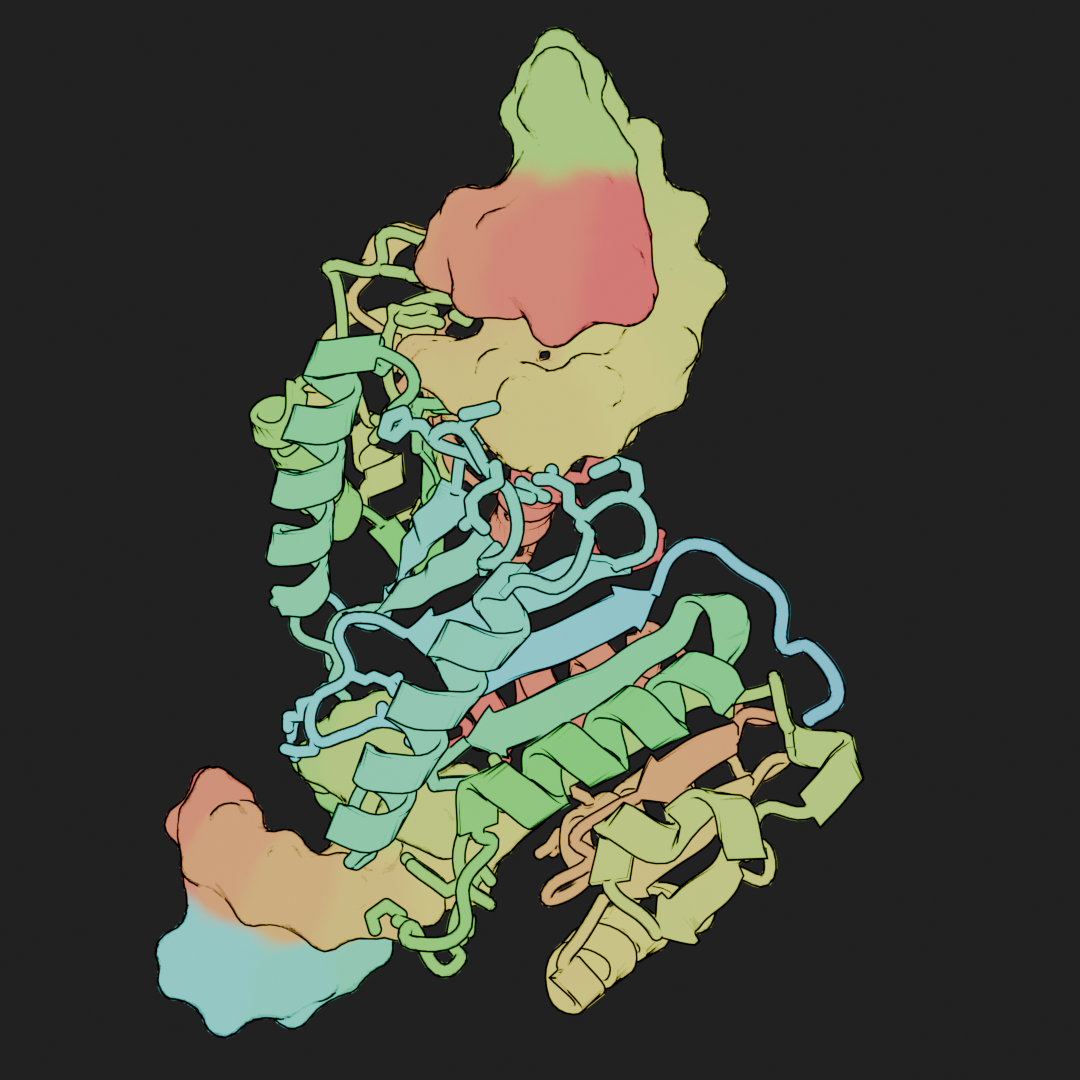
Molecular Nodes uses nodebpy for creating and changing the node trees - Geometry, Shader and Compositor.
This allows for replicating the node-based workflows from the GUI, enabling the full power of Geometry Nodes (GN) and the other node editors from within a script.
The approach of nodebpy is to overload the >> operator, which instead acts as a “node link” operator when used inside of a node tree. We can access and edit the GN node tree using the mol.tree property. This is a nodebpy.TreeBuilder subclass for editing the tree.
import mathimport molecularnodes as mnfrom molecularnodes.nodes import geometry as mgfrom nodebpy import geometry as gcv = mn.Canvas(mn.scene.Cycles(32))
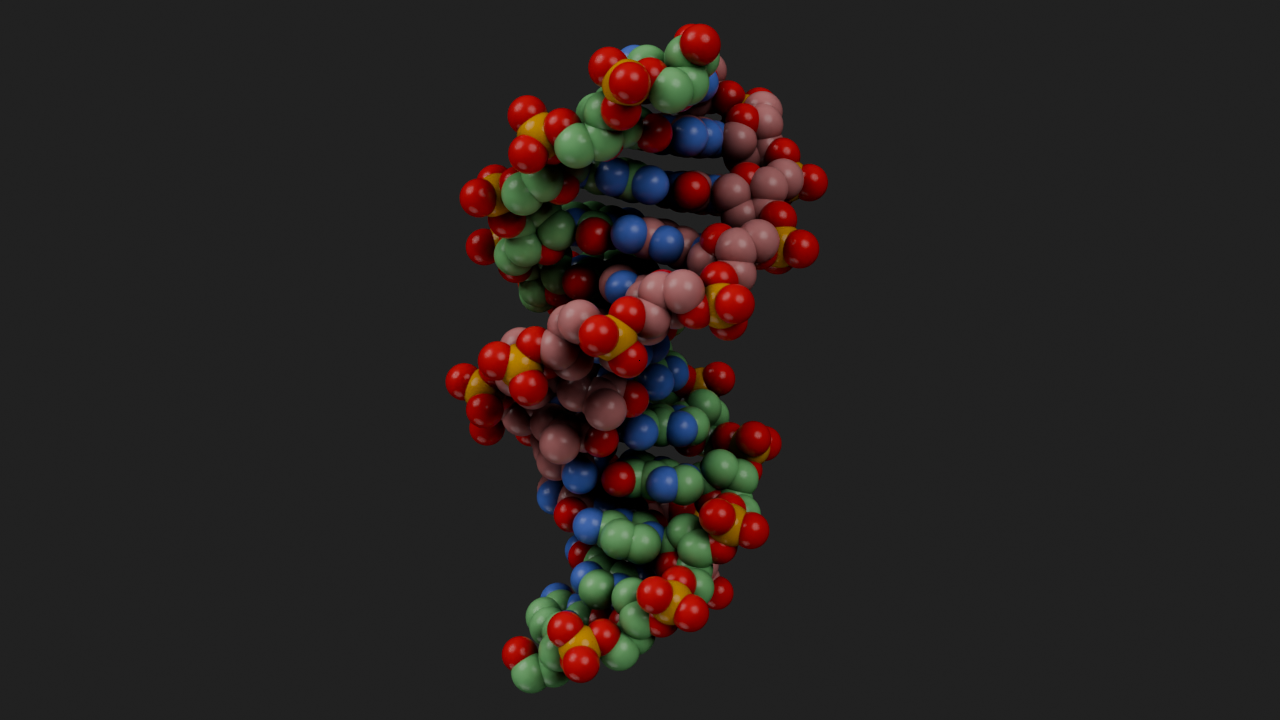
mol = mn.Molecule.fetch("1bna")with mol.tree.reset() as (atoms, join): mat = mn.material.Default().material ( atoms>> mg.SeparateAtoms(selection=mg.IsSolvent().o.inverted)>> mg.StyleSpheres(material=mat)>> join )mol.tree
cv.look_at(mol)cv.snapshot()
To use an MDAnalysis selection phrase inside a node tree, turn it into a node with node. It stores the selection as a boolean attribute and returns a Named Attribute node reading it, reusing an existing selection where possible rather than creating a duplicate.
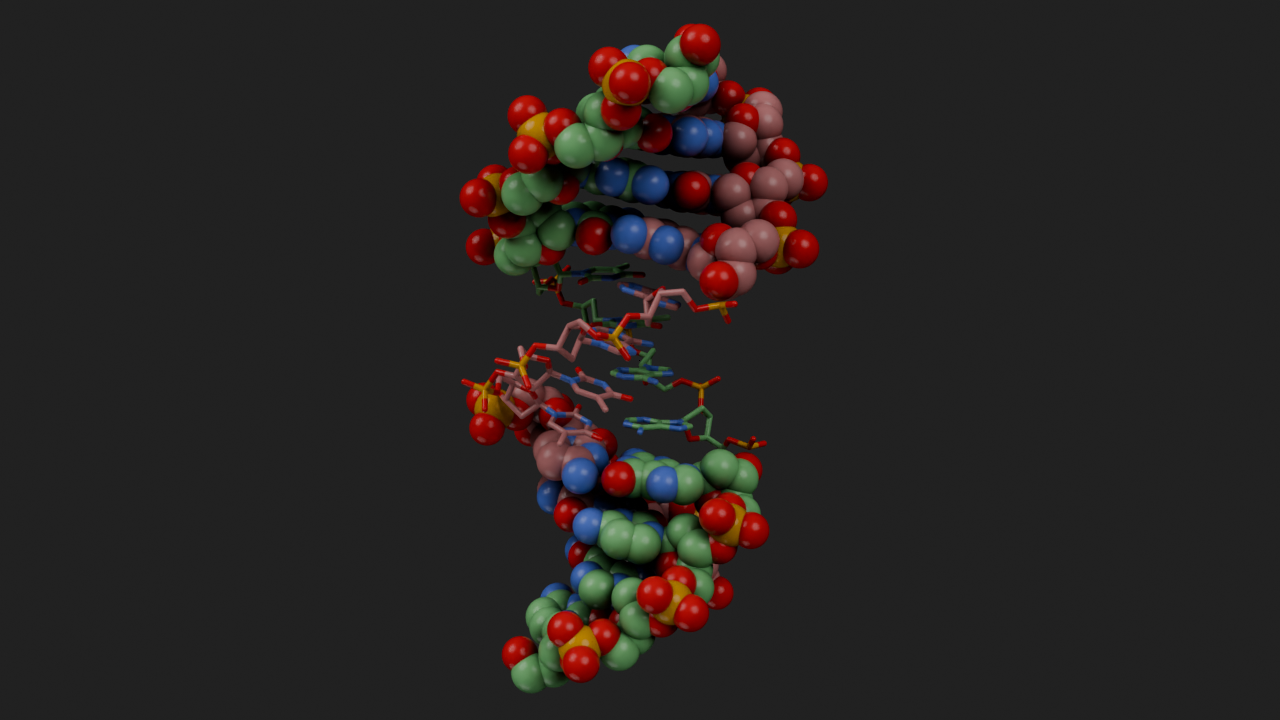
with mol.tree.reset() as (atoms, join):# 1bna is B-DNA, so split the two base-pair types across different styles ( atoms>> mg.StyleSpheres( selection=mol.selections.node("resname DC DG"), material=mat, )>> join ) ( atoms>> mg.StyleSticks( selection=mol.selections.node("resname DA DT"), material=mat, )>> join )mol.tree
cv.look_at(mol)cv.snapshot()
Non-Linear Node Trees
The of Geometry Nodes comes from the non-linear nature of working with node trees. We can express complex systems with relatively simple node setups.
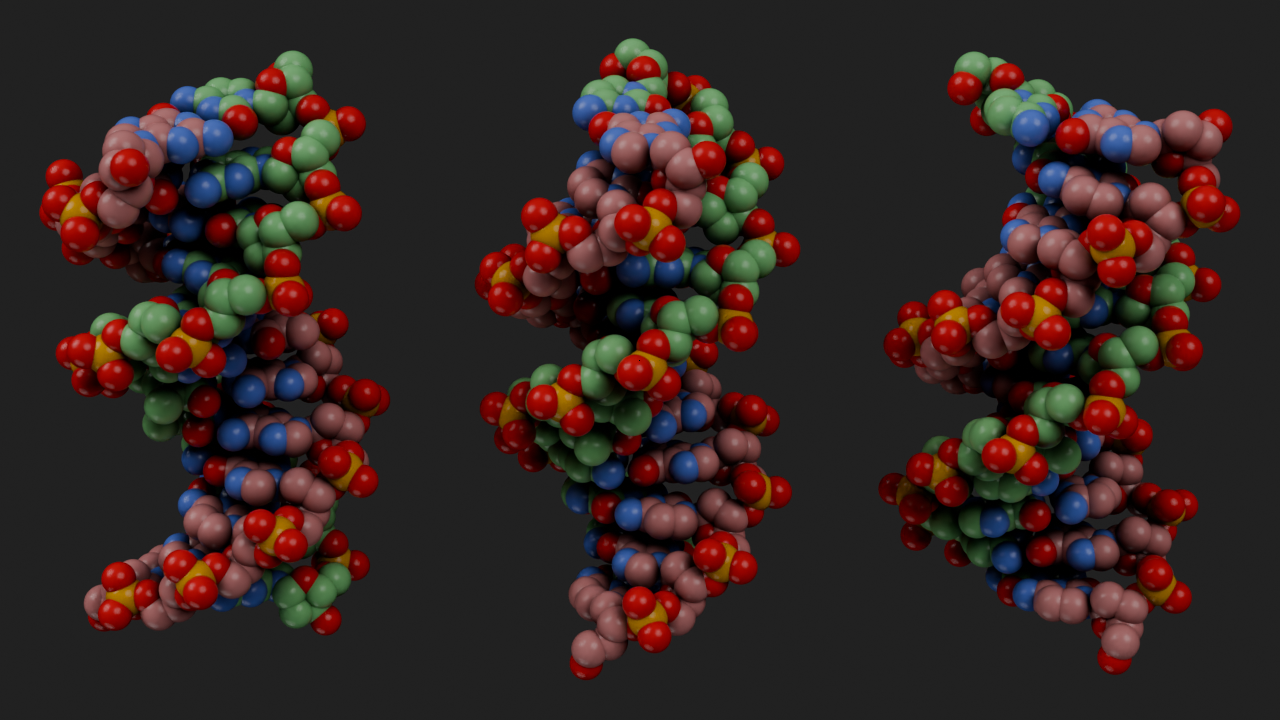
with mol.tree.reset() as (atoms, join): atoms = ( atoms>> mg.SeparateAtoms(selection=~mg.IsSolvent())>> mg.CentreOnSelection()>> mg.GeoemtryToPlanar()>> g.TransformGeometry(rotation=(0, math.pi/2, 0)) )for x in [-1, 0, 1]: ( atoms>> g.TransformGeometry( translation=(x *3, 0, 0), rotation=(0, 0, x * (math.pi /4)) )>> mg.StyleSpheres(material=mat)>> join )mol.tree
cv.look_at(mol)cv.snapshot()
We can use this non-linear approach to create two different styles and apply them to the same molecule. Each branch applys a new color scheme with the SetColor node and then applies one of the two styles. Both style branches are joined back together with the Join Geometry node that is added by default after calling the mol.tree.reset() to create the tree context.
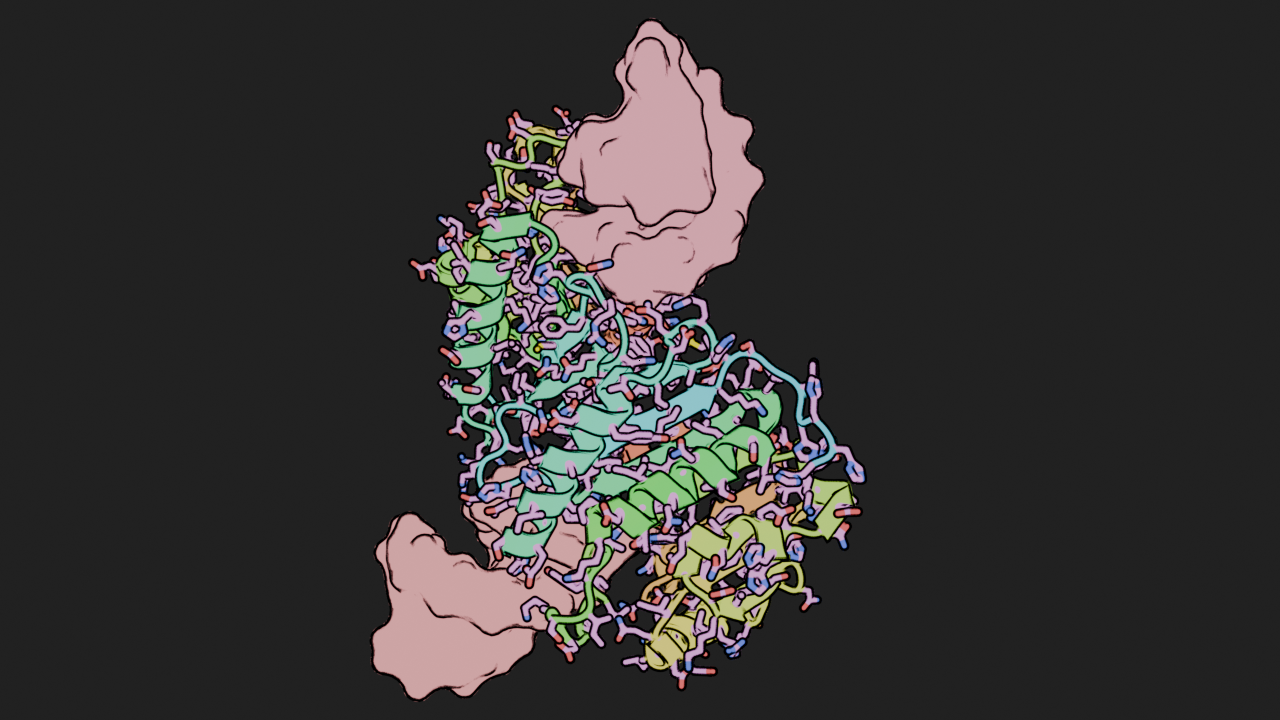
cv.clear()cv.engine = mn.scene.EEVEE()mol = mn.Molecule.fetch("8H1B")mat = mn.material.Flat(threshold=0.2).material# mat = mn.material.Default().materialwith mol.tree.reset() as (atoms, join):# creating one branch / chain of nodes for Ball and Stick style ( atoms>> mg.SetColor( color=mg.ColorCommon(carbon=mg.RandomColor(id=mg.ChainID())) )>> mg.StyleSticks( selection=mg.IsSideChain() & mg.IsPeptide(), scale=0.6, material=mat )>> mg.StyleSurface(selection=mg.IsNucleic(), material=mat)>> join )# creating a second branch, where we apply a different color and style# but join it back into the same `Join Geometry` node ( atoms>> mg.SetColor(color=mg.ColorRainbow())>> mg.StyleCartoon( selection=mg.IsPeptide(), quality=5, loop_radius=0.6, material=mat )>> join )mol.tree
The nodebpy code is evaluated once, but the tree that is created will be re-evaluated every time a value or the Blender scene’s frame changes. We can set up a node tree that will animate as the frames change. The AnimateValue node uses the scene’s current frame to interpolate between a starting and ending value (by default, 0 to 1).
The node tree creation code below is evaluated once, but the selection changes on each frame so during the animation the resulting geometry that is created changes.
cv.load_preset()animation_length =100cv.resolution = (600, 480)cv.samples =8cv.frame_range = (1, animation_length)mol = mn.Molecule.fetch("4ozs").add_style("cartoon")cv.look_at(mol, viewpoint ="left")mat = mn.material.Flat(threshold=0.2).materialwith mol.tree.reset() as (atoms, join): fac = mg.ChainParameter().o.factor frame = g.SceneTime().o.frame# the `.frame` value changes to reflect current scene.frame_current# we map that value to a range of 0 to 1 over the animation length,# and use that to select fraction of the chain that is selected and drawn sel = fac < g.MapRange.float(frame, 1, animation_length, 0, 1) ( atoms>> mg.SetColor(color=mg.ColorRainbow())>> mg.StyleCartoon(selection=sel, material=mat)>> join )cv.animation()